> ## Documentation Index
> Fetch the complete documentation index at: https://dynamic-docs-feat-sidebar-revamp.mintlify.site/llms.txt
> Use this file to discover all available pages before exploring further.
# Wallet List Views Tutorial
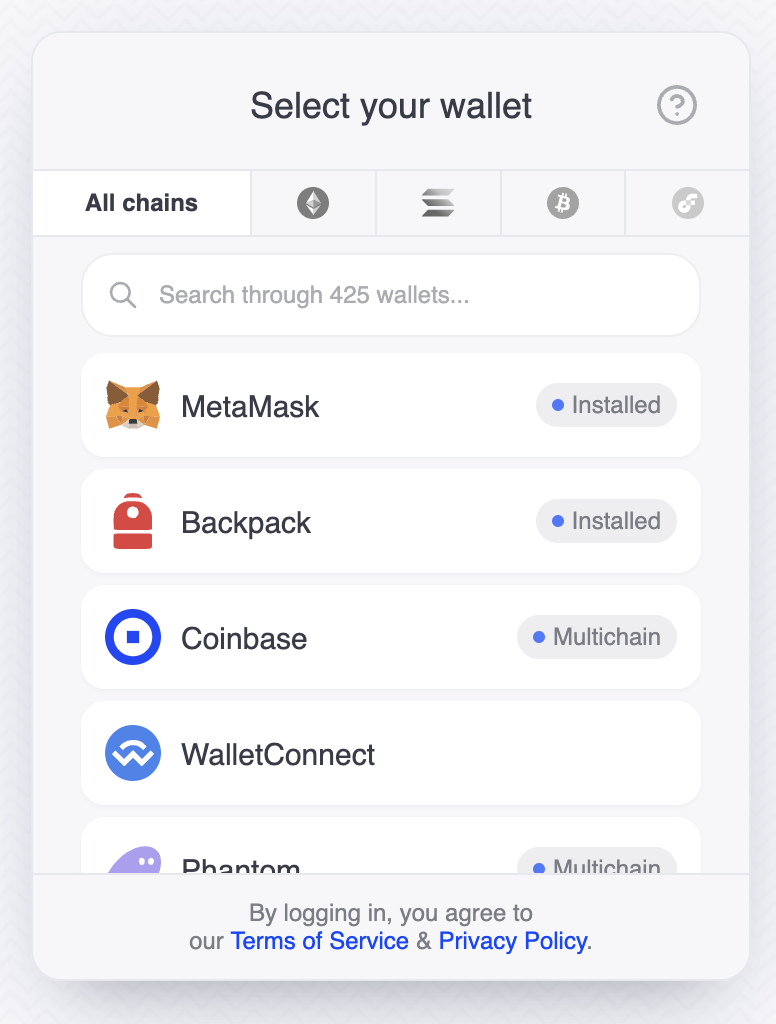
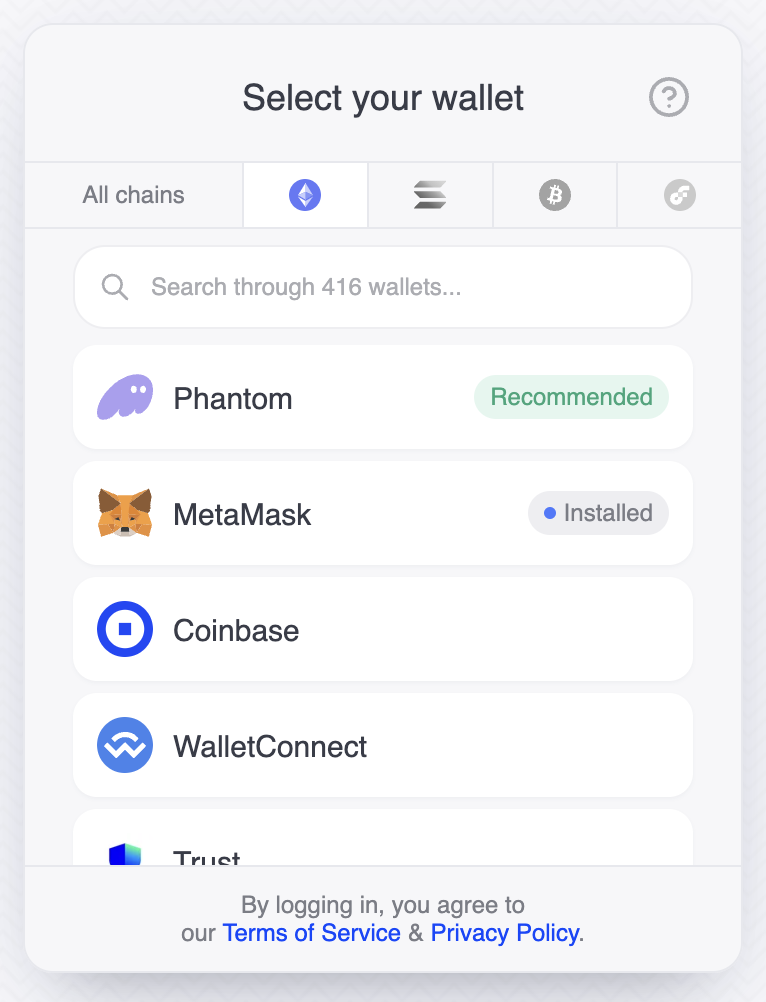
Below is an example showcasing the setup for tabs that categorize wallets by blockchain network, utilizing both custom and predefined filter functions:
```tsx
import {
DynamicContextProvider,
FilterChain,
} from "@dynamic-labs/sdk-react-core";
import {
BitcoinIcon,
EthereumIcon,
FlowIcon,
SolanaIcon,
} from "@dynamic-labs/iconic";
const App = () => {
return (
},
walletsFilter: FilterChain("EVM"),
recommendedWallets: [
{
walletKey: "phantomevm",
},
],
},
{
label: { icon: },
walletsFilter: FilterChain("SOL"),
},
{
label: { icon: },
walletsFilter: FilterChain("BTC"),
},
{
label: { icon: },
walletsFilter: FilterChain("FLOW"),
},
],
},
},
],
},
}}
>
);
};
```
This is the wallet list view with the tabs
| All chains tab selected | Ethereum selected |
| ------------------------------------------------------------------------------------------------------------------------------------------ | ---------------------------------------------------------------------------------------------------------------------------------------- |
| | |
Let's create a button that, when clicked, will automatically open the Ethereum tab.
```tsx
import React from "react";
import { useDynamicContext } from "@dynamic-labs/sdk-react-core";
/**
* Component for a button that opens the Ethereum tab by default.
*/
const ConnectWithEthereum: React.FC = () => {
const { setShowAuthFlow, setSelectedTabIndex } = useDynamicContext();
/**
* Handles the button click event by setting the default tab to Ethereum and showing the authentication flow.
*/
const onClickHandler = (): void => {
setSelectedTabIndex(1); // Set the selected tab index to 1, which corresponds to the Ethereum tab
setShowAuthFlow(true);
};
return ;
};
export default ConnectWithEthereum;
```
 |
|  |
Let's create a button that, when clicked, will automatically open the Ethereum tab.
```tsx
import React from "react";
import { useDynamicContext } from "@dynamic-labs/sdk-react-core";
/**
* Component for a button that opens the Ethereum tab by default.
*/
const ConnectWithEthereum: React.FC = () => {
const { setShowAuthFlow, setSelectedTabIndex } = useDynamicContext();
/**
* Handles the button click event by setting the default tab to Ethereum and showing the authentication flow.
*/
const onClickHandler = (): void => {
setSelectedTabIndex(1); // Set the selected tab index to 1, which corresponds to the Ethereum tab
setShowAuthFlow(true);
};
return ;
};
export default ConnectWithEthereum;
```
|
Let's create a button that, when clicked, will automatically open the Ethereum tab.
```tsx
import React from "react";
import { useDynamicContext } from "@dynamic-labs/sdk-react-core";
/**
* Component for a button that opens the Ethereum tab by default.
*/
const ConnectWithEthereum: React.FC = () => {
const { setShowAuthFlow, setSelectedTabIndex } = useDynamicContext();
/**
* Handles the button click event by setting the default tab to Ethereum and showing the authentication flow.
*/
const onClickHandler = (): void => {
setSelectedTabIndex(1); // Set the selected tab index to 1, which corresponds to the Ethereum tab
setShowAuthFlow(true);
};
return ;
};
export default ConnectWithEthereum;
```